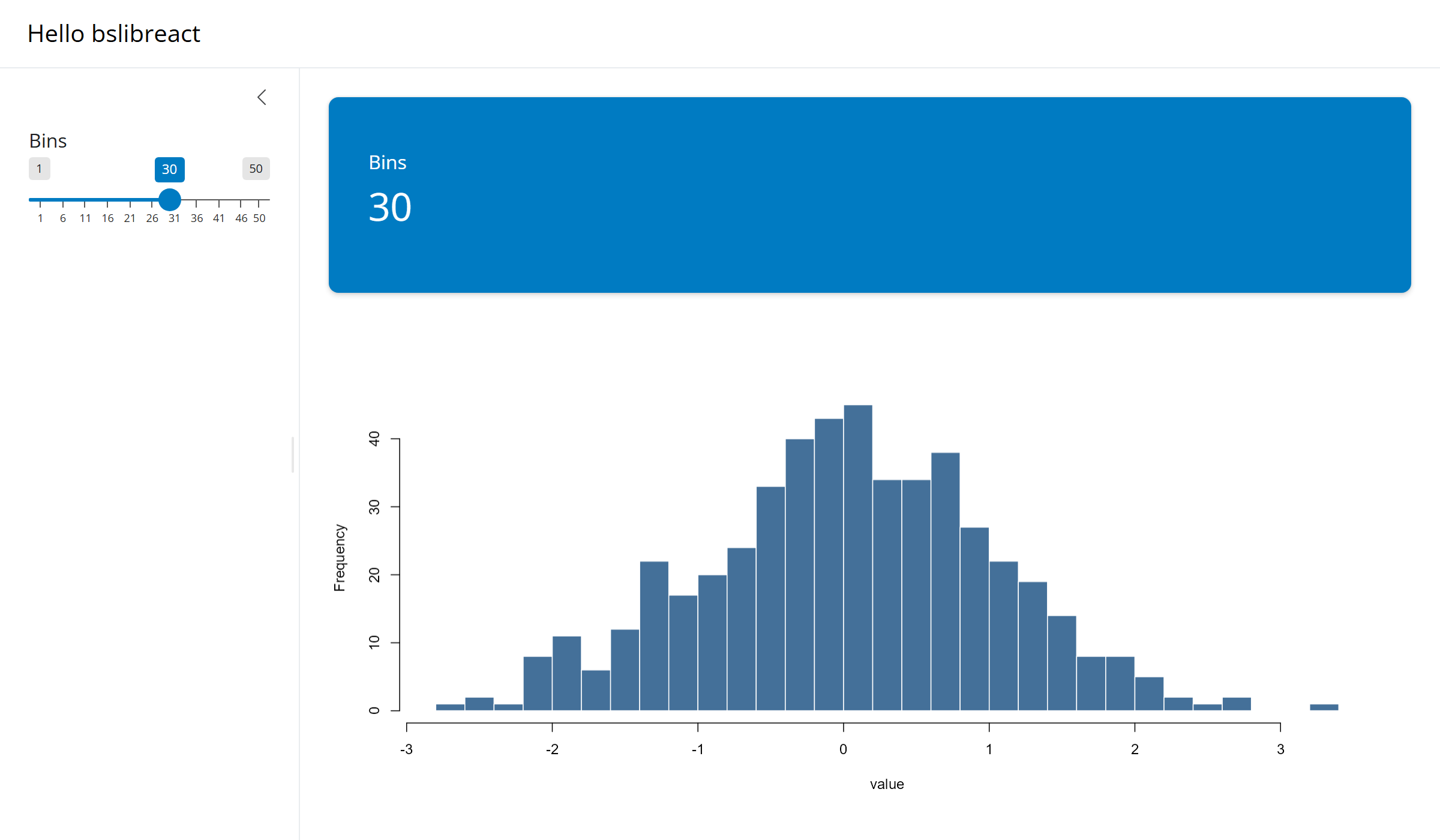
This article builds the smallest complete bslibreact app. The Shiny server is written in R and does the reactive work. The page is a React client that shows a slider in a sidebar, a value box, and a plot, all with bslib’s own markup and styling.
Requirements
- R, with the packages installed in step 1.
- A current Node.js LTS release, to build the client.
- git, to copy the example.
1. Install the R packages
bslibreact installs from GitHub with pak, and brings shiny and bslib with it. shinyreact, which provides the page and the plumbing between Shiny and React, is on CRAN.
install.packages(c("pak", "shinyreact"))
pak::pak("samuelbharti/bslibreact/pkg-r")
2. Copy the example app
The repository holds this app as examples/01-hello.
Clone the repository and copy that folder:
git clone https://github.com/samuelbharti/bslibreact.git
cp -R bslibreact/examples/01-hello myapp
cd myapp
The folder has two halves:
| File | Role |
|---|---|
app.R |
The Shiny server. It holds reactive code only. |
src/App.tsx |
The React client. It lays out the page. |
src/ui.tsx |
Mounts App on the page. It is the same in every
app. |
vite.config.ts |
Builds src/ into www/ui.js. |
www/ui.js |
The built client that the server sends to the browser. |
app.py is the same server in Python. Delete it if the
app only needs R.
3. Read the server
app.R has no layout code. Its page is shinyreact’s
page_react(), and page_deps() gives that page
the CSS and JavaScript a bslib page would attach on its own.
library(shiny)
library(bslib)
library(shinyreact)

app_theme <- bs_theme(version = 5)

ui <- page_react(
  title = "Hello bslibreact",
  theme = app_theme,
  bslibreact::page_deps(app_theme)
)
The server function then does three things.
server <- function(input, output, session) {
  bslibreact::host_input(
    output,
    "bins",
    shiny::sliderInput("bins", "Bins", min = 1, max = 50, value = 30)
  )

  output$plot <- renderPlot({
    req(input$bins)
    hist(rnorm(500), breaks = input$bins, col = "#447099", border = "white")
  })

  output$bins_count <- renderText({
    req(input$bins)
    input$bins
  })
}

shinyApp(ui = ui, server = server)
host_input() renders a real sliderInput()
on the server and hosts it for the client to display, so the slider
keeps the look and behaviour Shiny gives it. The client mounts it under
the id bins_ui, and the server reads its value as
input$bins, as in any Shiny app.
output$plot and output$bins_count are
ordinary Shiny outputs. Both start with req(input$bins),
because a hosted slider has no value until the client has mounted
it.
4. Read the client
src/App.tsx is the whole page. Each component reproduces
the markup of one bslib or Shiny call.
import {
  PageSidebar,
  SliderInput,
  PlotOutput,
  ValueBox,
  TextOutput,
  useShinyInitialized,
} from "bslibreact";

export default function App() {
  const ready = useShinyInitialized();
  if (!ready) return null;

  return (
    <PageSidebar title="Hello bslibreact" sidebar={<SliderInput id="bins_ui" />}>
      <ValueBox title="Bins">
        <TextOutput id="bins_count" className="value-box-value" />
      </ValueBox>
      <PlotOutput id="plot" height="400px" />
    </PageSidebar>
  );
}
The ids connect the two halves:
| Client | Server |
|---|---|
<SliderInput id="bins_ui" /> |
host_input(output, "bins", sliderInput("bins", ...)) |
<PlotOutput id="plot" /> |
output$plot <- renderPlot(...) |
<TextOutput id="bins_count" /> |
output$bins_count <- renderText(...) |
A hosted input always carries the _ui suffix on the
client. bins is the slider’s own input id, so the element
that hosts it needs a different one.
5. Build the client
npm install fetches the bslibreact npm
package, and the build writes www/ui.js. While developing,
npm run dev rebuilds on every change to
src/.
6. Run the app
In R, run the app by the path of its folder:
shiny::runApp("myapp")Give the full path if R’s working directory is not the folder that
holds myapp. The browser opens the page in the screenshot
above. Move the slider, and the value box and the histogram both
update.
Next steps
- Example: volcano plot walks through a larger app, with several hosted inputs, value boxes and a Shiny module.
- Component gallery shows each component next to the bslib original.
- The JavaScript reference lists every component and its props.
- Building a new app covers hosting more widgets, the page setup, and deployment.